
Social media character limits (every platform)
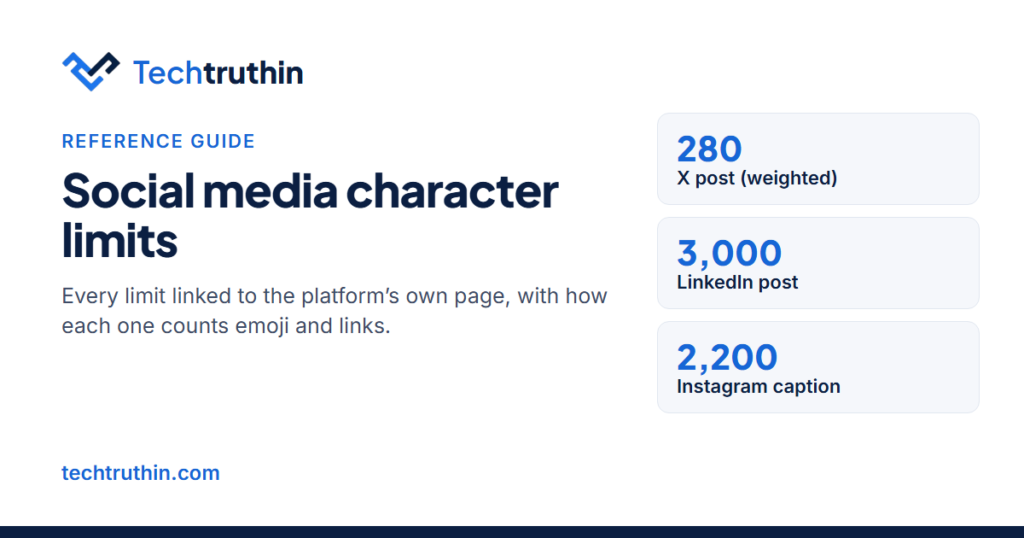
Many character-limit lists repeat figures without a source. This one works differently: every limit below links to the platform’s own help or developer page where we read it, and where a platform publishes no number, we say so instead of guessing. Use the table for a quick answer, then read the notes under it, because the same text can count differently on X, Threads and the rest.
Character limits at a glance
Last checked on 21 November 2026. The Source column names the page each number comes from; the full links are in the Sources list at the end.
| Platform | Field | Limit | Source |
|---|---|---|---|
| X | Post | 280 weighted characters | X developer docs |
| X | Bio | 160 | X Help Center |
| X | Display name | 50 | X Help Center |
| X | Username | 5 to 15 | X Help Center |
| Threads | Text post | 500 (emoji counted in bytes) | Threads API docs |
| Threads | Topic tag | 1 to 50 | Threads API docs |
| Post | 3,000 | LinkedIn Help | |
| Caption | 2,200 | Instagram API docs | |
| Hashtags per post or Reel | 5 (announced December 2025; API docs still say 30) | Instagram via Social Media Today; API docs | |
| @ tags per caption | 20 | Instagram API docs | |
| TikTok | Video caption | 2,200 (posted from other apps) | TikTok developer docs |
| TikTok | Photo post title | 90 | TikTok developer docs |
| TikTok | Photo post description | 4,000 | TikTok developer docs |
| YouTube | Video title | 100 | YouTube Help |
| YouTube | Video description | 5,000 | YouTube Help |
| YouTube | Handle | 3 to 30 | YouTube Help |
| Google Business Profile | Business description | 750 | Business Profile Help |
| Event description | 2,048 | WhatsApp Help Center |
To check a draft against several of these at once, paste it into our Social Media Character Counter. It applies each platform’s documented counting rule, and the cautious count where none is published. How a platform counts matters as much as the number, as the next section explains.
Why your count and the app’s count can differ
A “character” sounds simple, but platforms measure text in different units. Three rules explain most surprises.
X weighs characters
X’s developer documentation describes the 280 limit as weighted. Latin letters, punctuation and common symbols count as 1. Every emoji counts as 2, however complex, and so do Chinese, Japanese and Korean characters, which is why a post in Japanese fits roughly half as many characters as one in English. Every link is shortened and counts as 23, whether it is a short home page address or a long product link with tracking tags. For other scripts, X points to the Unicode ranges in its open-source twitter-text library.
Threads counts emoji in bytes
Meta’s Threads documentation limits text posts to 500 characters and counts each emoji by its size in UTF-8 bytes. Most single emoji are 4 bytes, so five of them use about 20 of your 500. Flags and combined emoji, such as a skin-tone variant, take 8 bytes or more, so a row of flags at the end of an announcement adds up quickly.
API limits are not always app limits
Several numbers here come from developer documentation, which states what scheduling tools and other apps may send. The app you type into can differ. Two cases in this table:
- TikTok captions. The 2,200 figure is TikTok’s limit for videos posted through its Content Posting API. We found no official page giving the limit inside the TikTok app, so the in-app limit may differ.
- Instagram hashtags. Instagram’s API reference still says captions can hold 30 hashtags. In December 2025 Instagram said it would “gradually update” the number of hashtags in a post or Reel caption “to five”, as Social Media Today reported. Plan for five, the announced limit.
Limits the platforms don’t publish
Many lists include figures we couldn’t find on any official page when we checked. That doesn’t mean they are wrong, but they are not documented, and they can change without notice. These are the common ones:
- YouTube tags. YouTube’s help page on tags explains what they are for and that they play a minimal role in discovery, but gives no character limit. The field in YouTube Studio is the only reliable check.
- YouTube channel name and channel description. The help page on channel settings gives no number.
- LinkedIn headline, About section and comments. The figures that circulate are not on the LinkedIn Help pages we read.
- Instagram bio and Facebook posts. Their help centres didn’t state a number on the pages we checked.
- Longer posts on paid X plans. X’s help pages we read cover only the standard 280.
For these fields, write your text and paste it in. The app will stop you or warn you at its real limit, which is the only number that counts.
Notes by platform
X
X’s Help Center gives three profile limits: a bio of up to 160 characters, a display name of up to 50, and a username that must be “more than 4 characters long” and up to 15, using only letters, numbers and underscores. The display name is the one you can change freely, so it is the place for a business name or a short tagline; the username is what people type to mention you, so shorter is easier.
LinkedIn Help says posts can contain up to 3,000 characters, and points to articles for anything longer. That is plenty for most updates. Because the feed shows only the first lines before “see more”, the opening sentence does most of the work. If you want to publish at a set time, see how to schedule LinkedIn posts. Posting through a scheduler or another outside app? Our guide to LinkedIn connected and third-party apps shows how to check which apps can reach your account.
Instagram and Threads
An Instagram caption can run to 2,200 characters with up to 20 @ tags, per Instagram’s API reference. The tighter limit in practice is hashtags: with five the announced limit, each one has to earn its place. Our Instagram & TikTok Hashtag Generator suggests a short, focused set instead of a long list. Threads allows 500 characters per text post and one topic tag of up to 50 characters.
TikTok
TikTok’s developer documentation gives 2,200 for video captions and, for photo posts, a 90-character title and a 4,000-character description. All three are measured in UTF-16 units, where most emoji take two. If a scheduling tool rejects a caption that looks short enough, emoji are a common cause.
YouTube
YouTube Help sets a 100-character limit on titles and 5,000 on descriptions. Handles run from 3 to 30 characters, with narrower ranges for some scripts (1 to 10 for Han characters, for example). A title can use all 100 characters, but a long one is cut short in many places it appears, so put the words that matter first. Descriptions have more room than most videos need; a list of chapters made with our YouTube Timestamp Generator and a few relevant hashtags from the YouTube Hashtag Generator fit easily. For how many hashtags to use, see how many hashtags to use on YouTube Shorts.
Google Business Profile and WhatsApp
Google’s guidelines for Business Profile descriptions ask you not to exceed 750 characters. WhatsApp event invites allow a 2,048-character description; our guide on how to create an event on WhatsApp covers the rest of the fields. Search results are a separate case: Google sets no character limit for page titles or meta descriptions, which our guide on creating meta tags for SEO explains.
Writing one post for several platforms
Whether you are a freelance translator or a phone repair shop, if you share the same news on X, LinkedIn and Instagram, write for the smallest limit first.
- Write the 280-character version. One clear point, one link at most. On X that link costs 23 characters whatever its length.
- Expand it for LinkedIn. Add the context, the example or the result that didn’t fit. Adding detail to a tight draft is easier than cutting a long one down.
- Adapt it for Instagram or TikTok. The caption supports the image or video, so it can be shorter than the LinkedIn version; finish with up to five hashtags.
- Tag the link per platform. Use our UTM Builder to give each version its own campaign tags, so your analytics show which platform sent visitors. On X the longer link costs nothing extra.
Spaces and line breaks count as characters too, so a post laid out in many short lines uses more of the limit than it looks.
Character limit questions
What is the character limit on X?
280 weighted characters per post. Letters and numbers count as 1, emoji and Chinese, Japanese or Korean characters count as 2, and every link counts as 23.
How many characters can a LinkedIn post have?
Up to 3,000 characters, according to LinkedIn Help. For longer pieces, LinkedIn suggests writing an article.
How long can an Instagram caption be?
2,200 characters, with up to 20 @ tags. Instagram said in December 2025 it would gradually cut the hashtag limit to five per post or Reel.
What is the YouTube tag character limit?
YouTube’s help page on tags doesn’t state one. YouTube says tags play a minimal role in discovery, so the title, description and thumbnail deserve more of your time.
Do emoji count as one character?
Not everywhere. On X an emoji counts as 2, on Threads it counts as its size in bytes (4 for most single emoji, more for flags), and TikTok’s developer docs measure most emoji as 2 UTF-16 units.
Sources
- X Developer Platform: Counting characters (280 weighted characters, emoji and CJK weights, links count 23)
- X Help Center: How to customize your profile (bio, 160 characters) and How to change your X username (username and display name)
- Threads API: Posts (500 characters, emoji in UTF-8 bytes, topic tags)
- LinkedIn Help: posts up to 3,000 characters
- Instagram Platform: IG User Media (2,200 characters, 30 hashtags, 20 @ tags)
- Social Media Today: Instagram Implements New Limits on Hashtag Use (18 December 2025, quoting Instagram on the five-hashtag limit)
- TikTok for Developers: Direct Post (video captions, 2,200 UTF-16 units) and Photo Post (title 90, description 4,000, in UTF-16 units)
- YouTube Help: Edit video settings (titles 100, descriptions 5,000), Handles (3 to 30), Tags and Channel settings (no limit stated)
- Google Business Profile Help: Guidelines for representing your business (description up to 750 characters)
- WhatsApp Help Center: How to create and invite people to events (event description, 2,048 characters)
- Google Search Central: Title links and Snippets (no length limit for titles or meta descriptions)
X, Threads, LinkedIn, Instagram, TikTok, YouTube, Google and WhatsApp are trademarks of their owners. Techtruthin is not affiliated with any of them. Limits checked against each platform’s pages on 21 November 2026.
How this guide was made: researched and drafted with AI assistance, then checked against the official sources linked above before publishing. Editorial policy Report a mistake